
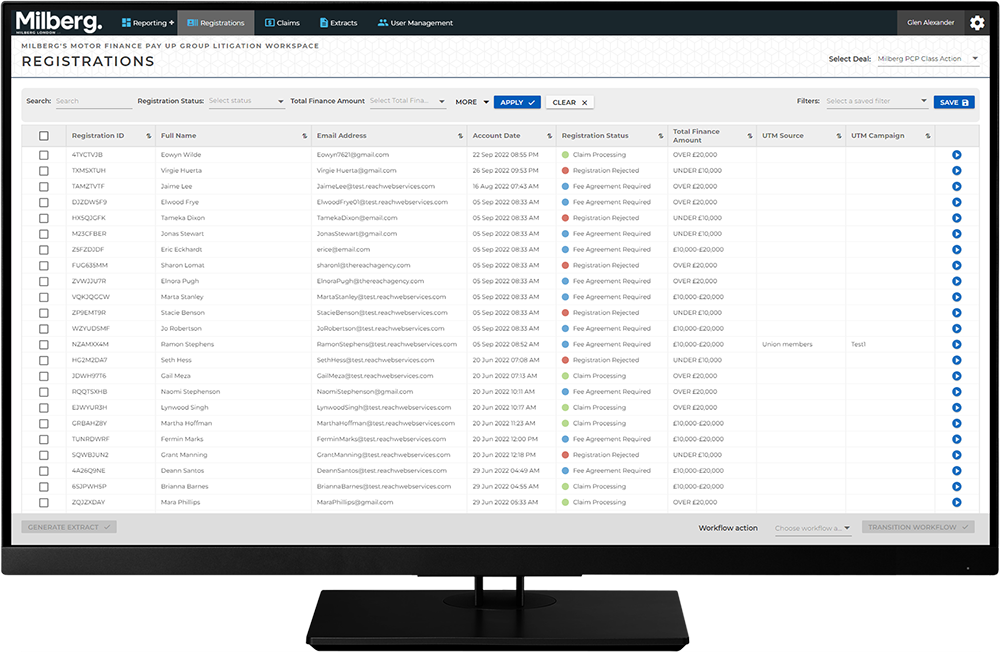
Navigating the Management Workspace - List Page: Step 1 of 11
List Page
A list page presents a collection of data in a grid format. Each row in the list is a data record for that menu item. For example, if the Claims menu is selected, each row consists of once claim. Each column is a specific data field for that row or claim. Note there are more data fields than are what displayed as columns, and these are visible on the Details Page via the View Details button as described here. (link to the right spot).
The list page is useful for working with blocks of data such as searching and sorting or extracting data to a file.