
Menus: Step 1 of 2
Menus
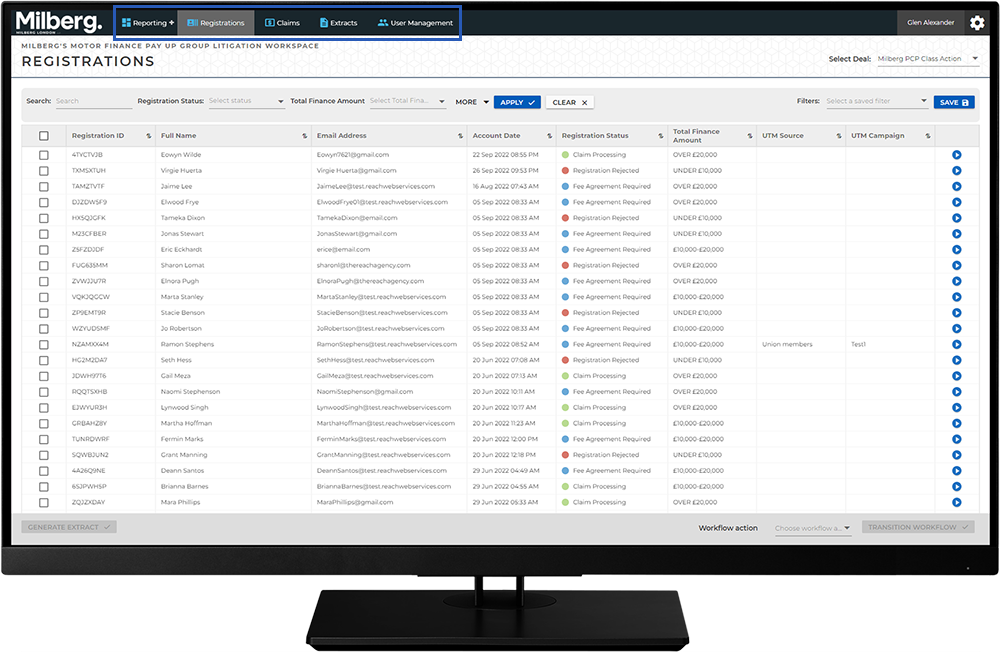
Across the top of every CaseRight application is a menu bar organized by your role and the permission level tied to it. In most cases this includes menu items such as Registrations and Claims.
For a manager or system administrator there may be more menu items displayed such as Reporting, Extracts and User Management.
To access a given menu, click on the menu name to select the item.

Once a menu item is selected, a page is presented, and the layout varies depending on the menu item selected.
When either the Registrations or Claims menu are selected, a list page is presented.