
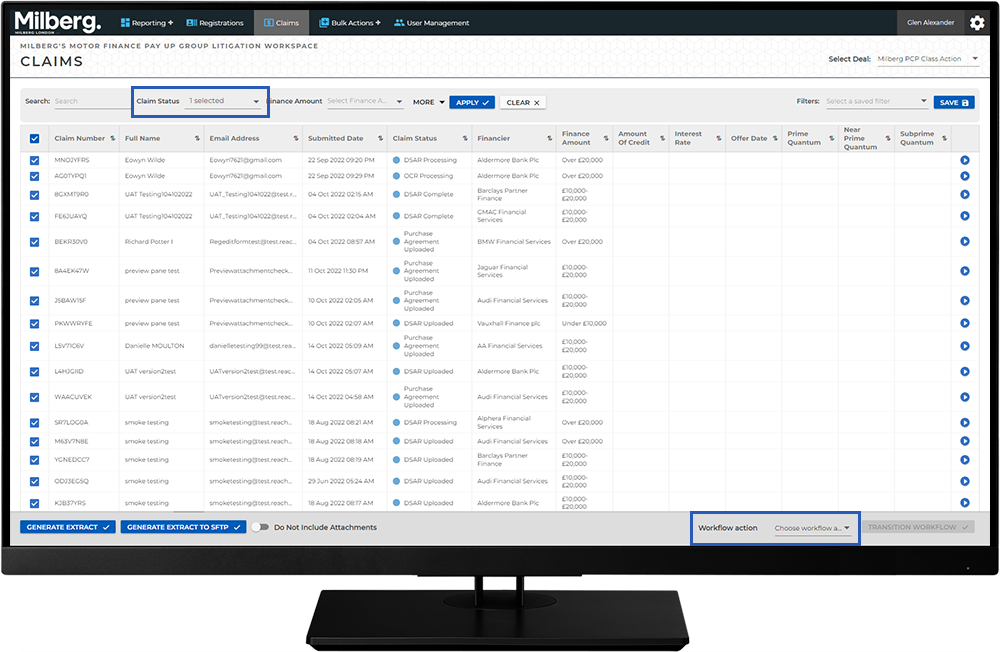
Conducting Work in the Workspace - How To: Workflow Actions: Step 2 of 7
Set the Claim Status to Submit Requests to the DSAR Service Provider
- Select the Claims menu
- Run a search or saved filter to locate all claims with a Claim Status of DSAR Uploaded
- Select all records returned
- From the Workflow Action dropdown choose DSAR Uploaded -> DSAR Processing
- Select the Transition Workflow button to update the Claim Status to DSAR Processing
The system will submit all records newly updated to DSAR Processing to the DSAR Vendor.